
Download Blood Pressure Tool – blood pressure tracker, BP diary, hypertension management, health monitoring app, cardiovascular health tool, free BP app, blood pressure log, heart health tracker
Overview
Blood Pressure Tool – BP Diary is a health-focused mobile application designed to assist users in monitoring and managing their blood pressure levels over time. The software enables individuals to record daily readings through a straightforward interface, supporting proactive health tracking for those managing hypertension or seeking to maintain cardiovascular wellness. By logging measurements consistently, users can identify patterns and fluctuations in their blood pressure, which may inform lifestyle adjustments or prompt timely consultations with healthcare providers.
The app is suitable for a broad audience, including adults managing chronic conditions, individuals with a family history of heart disease, and health-conscious users aiming to stay informed about their vital signs. Developed by AppBuddy, the application emphasizes usability and accessibility, making it approachable for users of varying technical experience. It is available on both Android and iOS platforms, ensuring cross-device compatibility for users who prefer different operating systems.
The software supports regular tracking, automated reminders, and data export, facilitating seamless communication with medical professionals. While the developer did not provide additional details on system requirements or integration with external devices, the app’s core functionality centers on consistent, user-driven data input and visualization.
Key Features & Capabilities
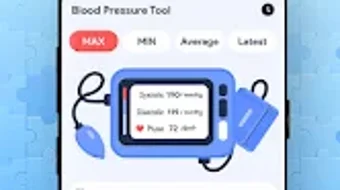
- Daily Blood Pressure Logging – Users can record systolic and diastolic readings along with heart rate, enabling detailed tracking of cardiovascular metrics over time.
- Trend Analysis & Visualization – The app generates visual charts and graphs to help users observe changes in their blood pressure levels, supporting early detection of anomalies.
- Smart Reminders – Customizable alarms prompt users to take readings at set intervals, promoting consistent monitoring and adherence to health routines.
- Data Export Functionality – Users can export their recorded data in standard formats, allowing easy sharing with doctors or integration into personal health records.
- Educational Resources – The app includes informative content on blood pressure management, lifestyle tips, and heart health awareness to support informed decision-making.
- Multi-Device Accessibility – Available on both Android and iOS, the software allows users to access their data across different devices, enhancing continuity in health tracking.
These features collectively support a structured approach to personal health management. For instance, a user with elevated readings can use trend graphs to assess whether their diet or medication adjustments are having an effect. The reminder system ensures that monitoring remains consistent, even during busy periods.
Exporting data simplifies medical consultations, enabling healthcare providers to review long-term patterns. The educational content helps users understand the significance of their readings, reducing anxiety and encouraging proactive behavior. While the app does not specify integration with wearable devices or cloud synchronization, its core functionality remains focused on manual input and local data storage with export options.
User Interface, Workflow & Performance
The user interface of Blood Pressure Tool – BP Diary is designed with simplicity and clarity in mind, featuring a clean layout that prioritizes ease of navigation. Key functions such as recording a reading, viewing historical data, and accessing settings are accessible through intuitive menus. The workflow is linear and efficient: users open the app, input their current measurements, and optionally add notes or tags before saving.
This streamlined process minimizes friction and supports regular use. Navigation is consistent across both Android and iOS platforms, ensuring a familiar experience regardless of device. The developer did not specify resource usage details, so exact performance behavior in terms of CPU or RAM consumption remains unknown.
However, based on the app’s size (35.6 MB) and the nature of its functions, it is expected to operate smoothly on modern smartphones with minimal impact on device performance. Stability is assumed to be maintained through regular updates, though no specific information on crash rates or background behavior was provided. The app does not require constant internet connectivity, allowing for offline use, which enhances accessibility in areas with limited network access.
General performance observations are based on typical mobile application behavior patterns.
Compatibility & System Requirements
Blood Pressure Tool – BP Diary is compatible with both Android and iOS operating systems, offering broad accessibility across major mobile platforms. The software is available in version 2.0.1, with a file size of 35.6 MB, indicating a lightweight footprint suitable for devices with moderate storage capacity. While the developer did not specify exact system requirements, the app is designed to function on standard smartphones and tablets released in recent years.
Compatibility information was partially provided, with no mention of minimum OS versions, processor specifications, or RAM thresholds. The absence of detailed technical requirements suggests that the application is optimized for general use across a wide range of devices. Users should ensure their device meets standard operating system standards for app installation.
The software does not appear to require additional drivers or external hardware, relying solely on built-in sensors and user input for functionality. The developer did not provide information on cloud integration or synchronization across devices beyond platform availability.
Pros and Cons
Pros
- Free to download and use with no in-app purchases
- Intuitive interface suitable for users of all ages and tech experience levels
- Supports trend analysis through visual charts and graphs
- Offers customizable reminders to maintain consistent tracking habits
- Enables data export for sharing with healthcare providers
- Available on both Android and iOS platforms
Cons
- Exact system requirements were not listed
- Performance under heavy usage or low-memory conditions was not specified
- Limited information on cloud sync or backup capabilities
- Does not mention integration with wearable devices or smart scales
- Developer did not provide details on data encryption or privacy policies
FAQ Section
Is Blood Pressure Tool available for both Android and iOS?
Yes, Blood Pressure Tool – BP Diary is available on both Android and iOS platforms, ensuring accessibility across different mobile ecosystems.
Can I use this app offline?
Yes, the app supports offline functionality, allowing users to record readings and view data without an internet connection.
Is the app free to download?
Yes, the app is available for free on the Google Play Store and Apple App Store, with no cost for core features.
How do I export my blood pressure data?
Users can export their recorded data in standard formats for sharing with healthcare providers or storing in personal health records.
Does the app require a subscription or in-app purchases?
No, the app is free to use with no subscription model or in-app purchases required for basic functionality.
Final Thoughts
Blood Pressure Tool – BP Diary presents a practical and accessible solution for individuals seeking to monitor their cardiovascular health through consistent tracking. Its clean interface, automated reminders, and data export options make it a reliable companion for managing hypertension or maintaining heart health. The fact that it is free and available on both major mobile platforms enhances its appeal to a wide audience.
While some technical details such as system requirements, data security measures, and device integration are not disclosed, the app’s core functionality remains focused and effective. For users who value personal health awareness and want a straightforward tool to log and analyze blood pressure readings, this application delivers solid value. It is particularly beneficial for those managing chronic conditions or aiming to adopt healthier habits.
With its emphasis on usability and long-term tracking, Blood Pressure Tool – BP Diary stands out as a trustworthy choice in the health monitoring space. Download Blood Pressure Tool now.







